
Instead of manually chasing debris pickup after every schedule change, use a Procore milestone-to-provider handoff so each removal request has an owner, a site-readiness check, and written confirmation. This guide explains coordinator-managed procore debris removal scheduling for 2026; it does not describe an automated connection between Procore and a hauling provider.
TL;DR
- Procore debris removal scheduling needs a readiness check and provider confirmation, not just a milestone date.
- Expelled connects property professionals with independent providers; keep schedule coordination under a named project owner.
- Separate requested pickup dates from confirmed appointments in your construction debris removal workflow.
- Reconfirm access, materials, and timing whenever the project schedule changes.
Why this matters
A demolition finish date is not a pickup appointment. Debris still needs a defined location, an accepted material description, usable access, and someone authorized to release it for removal.
Expelled is best for property professionals who want a marketplace to connect with independent cleanout and hauling providers. Expelled connects customers with independent providers; it does not perform the cleanout itself. Keep Procore as the schedule reference and confirm the job directly with the selected provider.
The practical connection is a controlled handoff: project milestone, readiness decision, provider request, confirmed appointment, and completion record. Your 2026 coordination process should distinguish those stages rather than treating every schedule date as a booking.
Before you start
- Project access: Have permission to view the relevant Procore project schedule and access the scheduling application used to maintain it. Identify who can approve schedule changes before editing anything.
- Job materials: Gather the removal address, material description, site photos, loading access, access restrictions, and the person authorized to approve the work. Confirm provider coverage and material acceptance directly.
- The hidden dependency: Establish how schedule updates reach Procore and who checks them. A date visible in Procore is not proof that debris is ready or that an independent provider has accepted an appointment.
Assign 1 coordination owner per removal request. This is an operating rule, not a staffing benchmark: that person tracks revisions, communicates changes, and keeps the provider's confirmation attached to the current request.
Do not begin by building an automation. First make the manual handoff reliable enough that a changed date cannot silently become an incorrect dispatch instruction.
Schedule milestone setup
Identify the pickup dependency
- Open the correct project and its Schedule tool. Locate the activity that creates the debris, then identify the next activity that needs the area cleared.
- Check the task identifier, current dates, and responsible party against the maintained project schedule. Ask the schedule owner to resolve conflicting versions before requesting pickup.
- Define the readiness condition in plain language. For example: demolition is complete in the designated area, debris is separated, and the loading route is clear.
- Identify the release authority. Name the site representative who can confirm that the readiness condition has been met.
- Record the milestone reference in your coordination record. If adding or changing a schedule activity requires edits in another scheduling application, have the schedule owner make those edits through the project's established process.
Expected result: You can identify the task that creates the debris, the condition that releases it, and the person who approves removal. You have not represented the task date as a confirmed appointment.
Avoid attaching pickup to an entire project phase when only one area is ready. A floor, room group, or staging area gives the provider a clearer scope and prevents unrelated work from obscuring the removal decision.
Choose the handoff approach
Both approaches below use the same provider confirmation process. The difference is what starts the request.
| Approach | Best for | Advantage | Limitation | |---|---|---|---| | Milestone-led handoff | Work with a defined debris-producing activity | Connects the request to an identifiable project dependency | A shifted task date requires renewed readiness review | | Readiness-led handoff | Work where access or material separation controls pickup | Avoids requesting removal before the site is ready | Requires a site representative to make an explicit release decision |
Use milestone-led planning with a readiness-led release. The schedule tells you when to prepare; the site check tells you whether to proceed.
Removal request record
Build a reusable request
Use a shared worksheet or an existing project record your team can maintain. The labels below are suggested record fields, not claimed Procore interface fields.
- Job reference: Record the project name, task identifier, work area, and coordination owner. Use a stable reference that remains unchanged when dates move.
- Material scope: Describe the debris by type and location. Separate ordinary construction debris from materials requiring special assessment or handling; ask the provider what it accepts.
- Quantity basis: Record observed quantities with units where practical, such as item counts or measured dimensions. Identify estimates as estimates, and add photos rather than guessing a container requirement.
- Access conditions: Describe the loading location, route, stairs, elevator requirements, gate procedure, and vehicle restrictions that actually apply.
- Timing status: Keep separate entries for the requested window, readiness approval, and provider-confirmed appointment. Include the time zone.
- Confirmation record: Record the provider contact, accepted scope, unresolved questions, and the latest written agreement.
Expected result: Another coordinator can understand the job without reconstructing it from messages. The record shows what needs removal and which details remain unconfirmed.
Use a complete date format consistently. For example, write September 14, 2026 rather than an ambiguous numeric date, and attach the applicable time zone to any pickup window.
Write the material description for a provider
Describe what the provider will encounter, not just the trade that produced it. A request saying demolition debris leaves questions about material type, handling, and the location of the pile.
Separate loose material from bulky items and state whether debris is staged together or distributed through the property. If the amount changes before dispatch, update the description and photos instead of asking the provider to rely on the original request.
The construction debris removal comparison is a related starting point for provider evaluation. Your actual decision still needs direct confirmation of scope, access, and material acceptance.
Provider confirmation and release
Send a request that is not mistaken for a booking
- Send the job reference, current scope, site photos, access conditions, and requested pickup window to the prospective provider. State clearly whether site readiness is confirmed or still pending.
- Ask the independent provider to confirm the material types, loading responsibilities, site requirements, and proposed appointment. Resolve excluded materials before accepting the arrangement.
- Record the provider's response against the same job reference. Do not replace a requested date with a confirmed date unless the provider has explicitly accepted it.
- Ask the release authority to verify the actual work area before pickup. Check that the approved material is accessible and that unrelated items are excluded.
- Send the final release or revised request through the agreed communication channel. Keep the acknowledgement with the coordination record.
Expected result: The provider and project team share the same scope and appointment status. A schedule update alone cannot be mistaken for an instruction to attend the site.
Expelled's property cleanout marketplace can support the provider-finding part of this process. The project team still needs to coordinate readiness and confirm the arrangement with the independent provider.
Use 3 decision checkpoints per request: scope accepted, site released, and appointment confirmed. These are recommended controls, not platform requirements or promised service milestones.
!Three coordination checkpoints: scope accepted, site released, and appointment confirmed
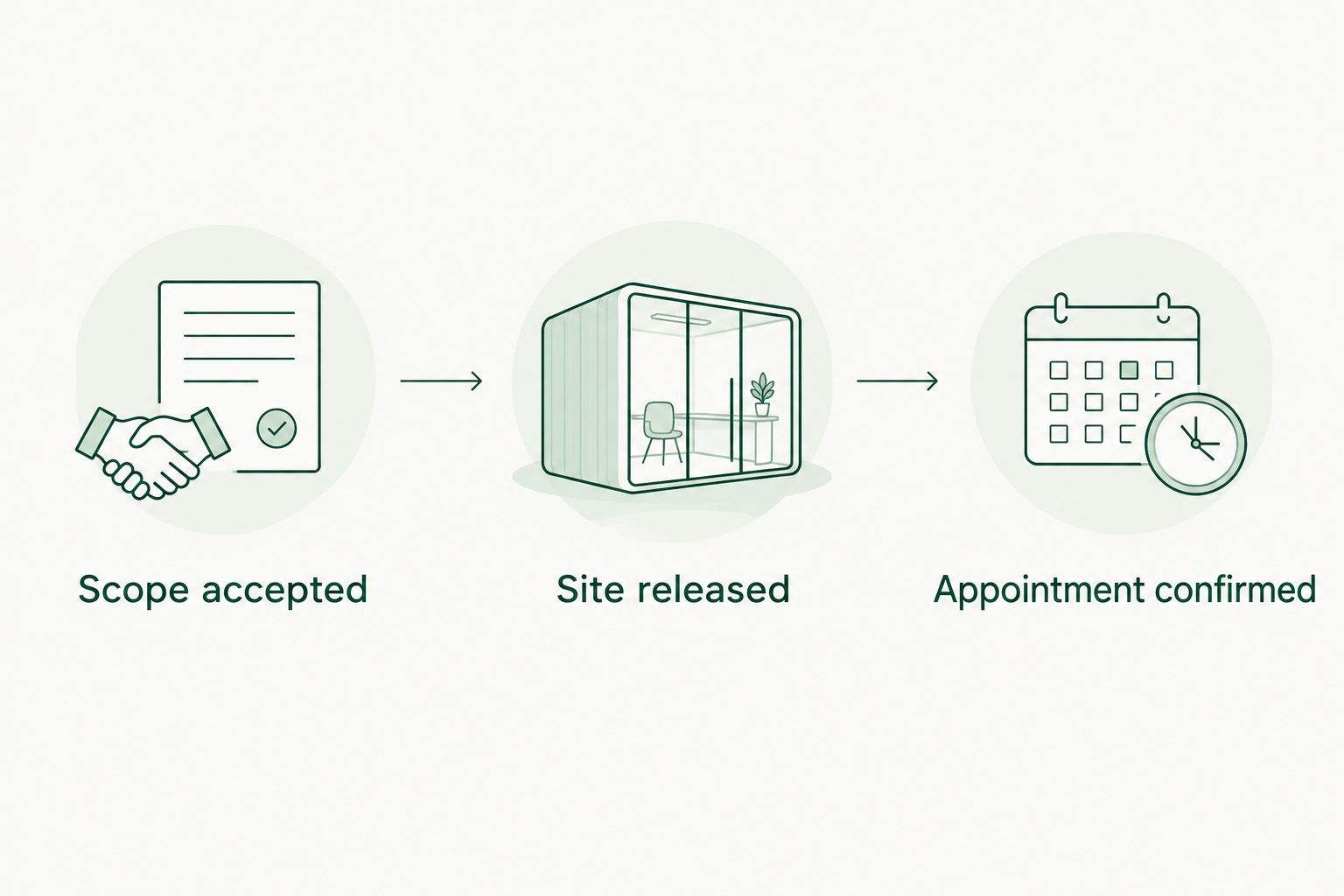
*A project schedule date does not replace these confirmation checkpoints.*
Keep the confirmation accessible to the site representative, not only the office coordinator. The person opening the gate or identifying the debris needs the same current instructions as the person arranging the pickup.
Schedule-change control
Reconcile the request after a date change
- Compare the revised milestone against the current removal request. Check the work area and scope as well as the date; a schedule revision can change the order of work without changing the project finish date.
- Mark the existing appointment as requiring reconfirmation in your coordination record. Do not erase the previous agreement or assume a new date has been accepted.
- Send the provider the changed detail and its effect on readiness or access. Ask for explicit acknowledgement of any revised appointment.
- Update the shared record after the provider responds. Tell the site representative which instructions are current and which have been superseded.
- After removal, record what was collected, any remaining material, and any access or acceptance issue that affects the next request.
Expected result: The record distinguishes the previous agreement from the current one. Both the provider and site team can identify the latest accepted instructions.
Maintain 2 distinct records per job: the requested arrangement and the provider-confirmed arrangement. They can sit in one worksheet, but they must remain distinguishable.
For your 2026 workflow, review the complete chain whenever a material change occurs. Moving a calendar entry without checking scope and access does not complete the coordination task.
Variant: request pickup when the site becomes ready
A readiness-led workflow fits jobs where the debris-producing activity is finished but pickup depends on sorting, access approval, or release of a shared loading area. Keep the planned removal requirement visible without presenting it as booked.
- Record the expected debris scope against the relevant project activity.
- Ask the designated site representative to confirm Ready for removal in your coordination record after inspecting the area. This is a suggested status label, not a Procore button.
- Send the current scope and access details to the provider and request an appointment.
- Record the accepted appointment separately from the readiness status.
Best for: Projects where site conditions control dispatch more directly than a task finish date. The advantage is a clear release decision; the limitation is dependence on a person completing that check.
Do not use readiness approval as permission for unconfirmed attendance. A ready site and an accepted appointment answer different questions.
Troubleshooting
The date changed, but the provider has the old instructions
Pause the handoff and send a revision under the existing job reference. Identify the superseded appointment and ask the provider to acknowledge the replacement; an internal schedule change does not communicate itself.
The task is complete, but debris is inaccessible
Keep the removal request unreleased until the site representative checks the loading route and staging area. Resolve blocked access, shared-space conflicts, and any required building approval before confirming attendance.
Different people requested the same pickup
Consolidate the requests under one coordination owner and job reference. Verify which arrangements were accepted before withdrawing anything, then tell every involved provider and site contact which request remains active.
The provider questions the material description
Replace broad wording with photos, observed material types, and quantity units where known. Ask the provider to identify exclusions and handling requirements; do not classify unfamiliar material as ordinary debris merely to complete the request.
The schedule shows an outdated task date
Ask the schedule owner to verify the maintained source and the project's update process. Keep the provider request tied to the last verified information until the conflicting date is resolved.
Customize your workflow
Start with one repeatable handoff before extending it across projects. Keep the same job-reference format, readiness definition, and confirmation record so a substitute coordinator can understand the status without reading every message.
Expelled connects homeowners, property professionals, and businesses with independent providers for cleanouts, junk removal, and hauling. Use that marketplace role for finding a provider; retain project-specific scheduling decisions and release approvals within your team.
If you evaluate automation in 2026, require it to preserve approval and acknowledgement rather than simply transmit dates. Any proposed connector needs verified permissions, supported operations, and a way to handle failed or duplicate updates before it becomes part of the process.
FAQ
How do I connect Procore schedules to debris pickup?
Connect a Procore milestone to a removal request, verify site readiness, and obtain the independent provider's appointment confirmation. Keep requested and confirmed dates separate so a schedule revision is not mistaken for an accepted booking.
Does this guide set up an automatic Procore integration?
No. This guide describes a coordinator-managed handoff, not a verified software connector or automated dispatch process.
Can Expelled perform the debris removal?
Expelled is a marketplace that connects customers with independent providers offering property cleanouts, junk removal, and hauling. Confirm the actual work scope and appointment with the selected independent provider.
What should a construction debris pickup request include?
Include the project reference, material description, photos, loading access, requested window, and site contact. Ask the provider to confirm accepted materials, responsibilities, and the appointment before treating the request as booked.
What happens when the Procore project schedule changes?
Review the affected removal request and ask the provider to reconfirm any changed arrangement. Preserve the previous agreement until the replacement is acknowledged, and update the site representative.
Should debris pickup follow a milestone or a readiness check?
Use the milestone to plan and the readiness check to release the request. The milestone identifies the dependency, while the site check confirms that the material and access match the proposed job.
How should I maintain procore debris removal scheduling in 2026?
Assign a coordination owner, use stable job references, and distinguish requests from confirmed appointments. Review scope, readiness, and provider acknowledgement whenever the schedule or site conditions change.
One last thing
Record who can stop the pickup, not just who can request it. If access becomes blocked or the scope changes, the site representative needs a clear route to pause the arrangement and notify the provider. Add that responsibility to your 2026 request template before the next job.